
A closer look at ADG
AI product description features for Shopify.
Choose the products. Set the direction. Generate and review the content inside Shopify. Get help from a team that understands the store behind the catalog.
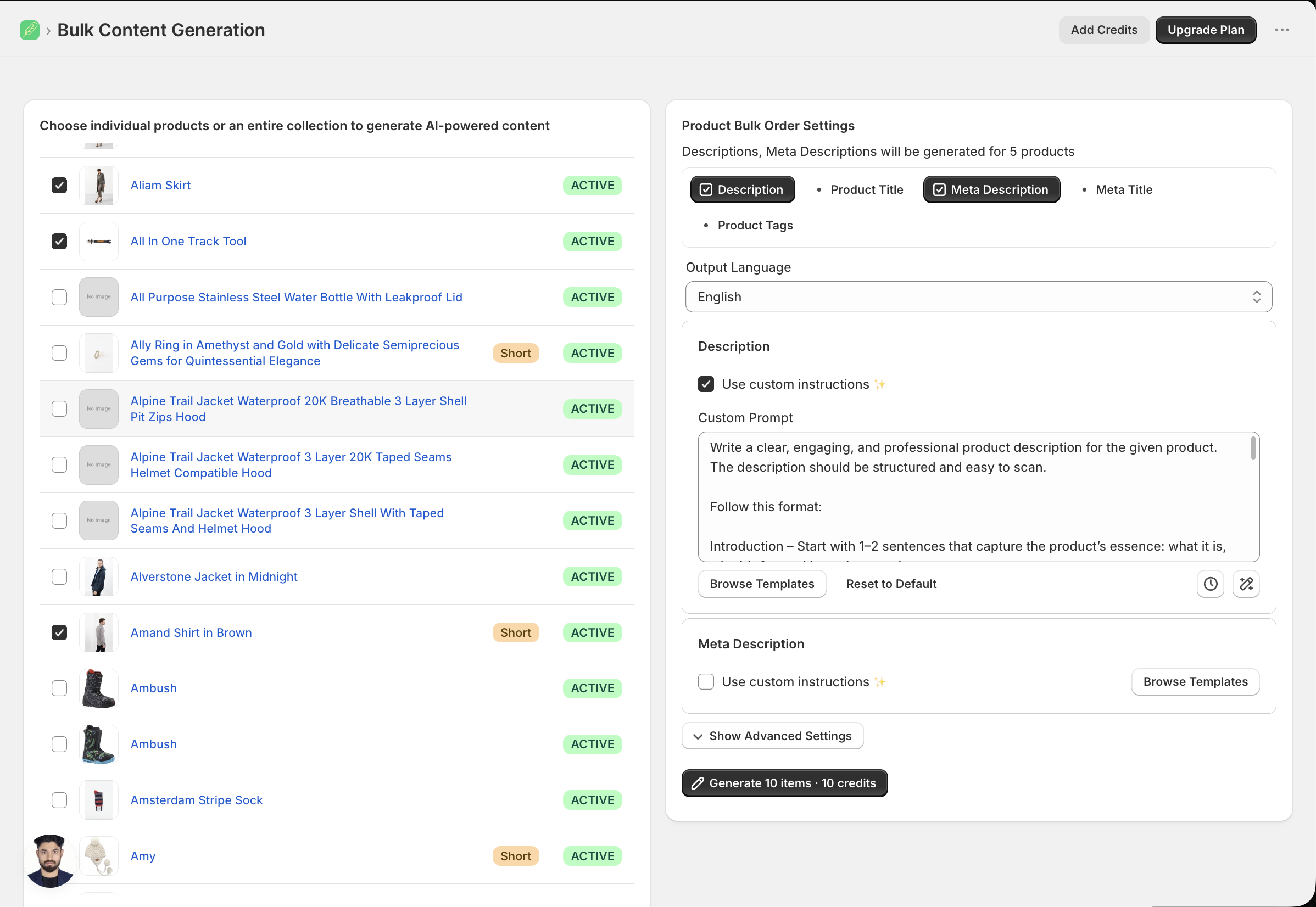
01 / Bulk generation
Work through a collection.
Keep the context.
Select products for a bulk order, choose the type of content to generate, and apply instructions across the batch. The order view keeps generation and saving progress together.
- Start with selected products or a collection.
- Check settings and the credit estimate.
- Inspect your results before a wider rollout.
02 / Brand instructions
Give the writing
a point of view.
Tell the app how to structure the description, which details to emphasize, and what to leave out. Reuse your instructions to keep the next batch consistent.
See inputs alongside sample output →Write for your next market.
Generate in 30+ languages. Combine the language setting with your brand instructions, then review the wording for the customers you’re writing for.
03 / Content fields
Beyond the description box.
Use the appropriate generation tool for each field. Available options and credit costs depend on the tool, settings, and plan.
Product descriptions
Build the body copy from product details and your instructions.
Product titles
Set a naming approach and generate titles for selected products.
SEO titles & meta descriptions
Prepare concise copy for your search listing.
Product tags
Generate tags using your chosen instructions.
Image alt text
Describe product images with the dedicated alt-text tool.
Collection descriptions
Give collection pages their own supporting copy.
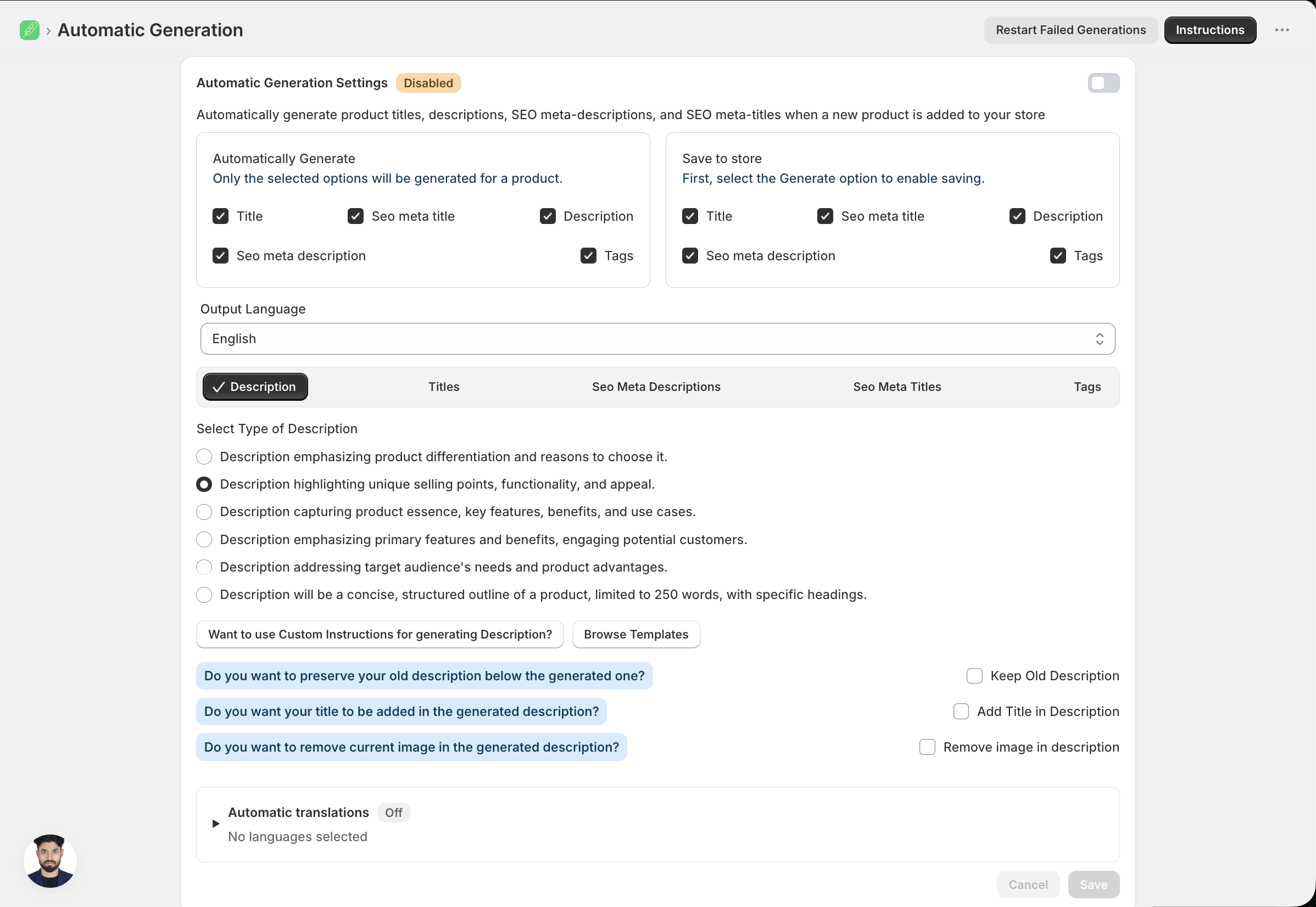
04 / Automatic generation
Choose what reaches
your storefront.
Edit generated content before saving it to a product. For new arrivals, automatic generation can run when products are added, with separate choices for generating fields and saving them to the store.
Check the save settings first
Auto-save can replace the selected fields without another review step. Automatic generation is initially off; review the selected save options before enabling it.
History has a specific role
Automatic-generation history supports reverting eligible records to their original content. It does not replace a full product export or store backup.
Bring content generation into Shopify Flow.
Add the app’s Generate Content action to a Shopify Flow workflow. Pass in a product, optionally override the instructions for descriptions, titles, SEO fields, or tags, and choose whether the result saves to your store.
05 / Beyond the copy
More of your product-page SEO, in one place.
SEO audits
Run a store SEO audit to surface issues and decide what to work on next.
Structured data
Configure JSON-LD for products, your organization, articles, and more. Enable the app’s theme block to add it to your storefront.
Image optimization
Generate image alt text and use compression tools to reduce image file size. Compression is available on Standard and Pro.
Tool access depends on your plan and setup. Search engines determine rankings and how results appear.
06 / AI & research
More context for the writing.
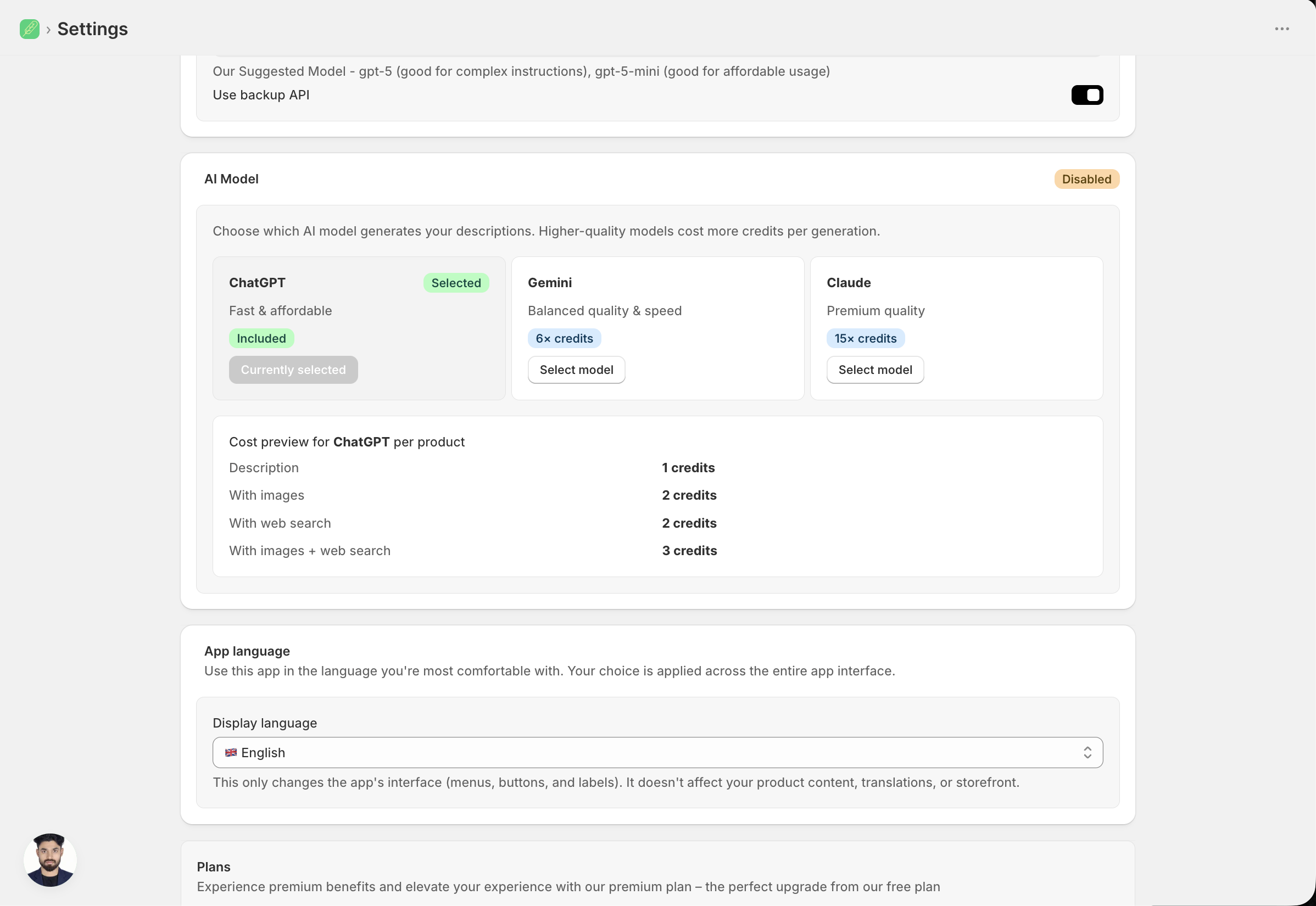
GPT, Claude, Gemini.
Choose an available model, include product images as input, or enable web research to give the generation more context. Review the result against your actual product details before saving.
Model access depends on your plan and tool. Images and web search affect credit usage; check the run estimate in the app.
Understand plans and credits →Choose the product context.
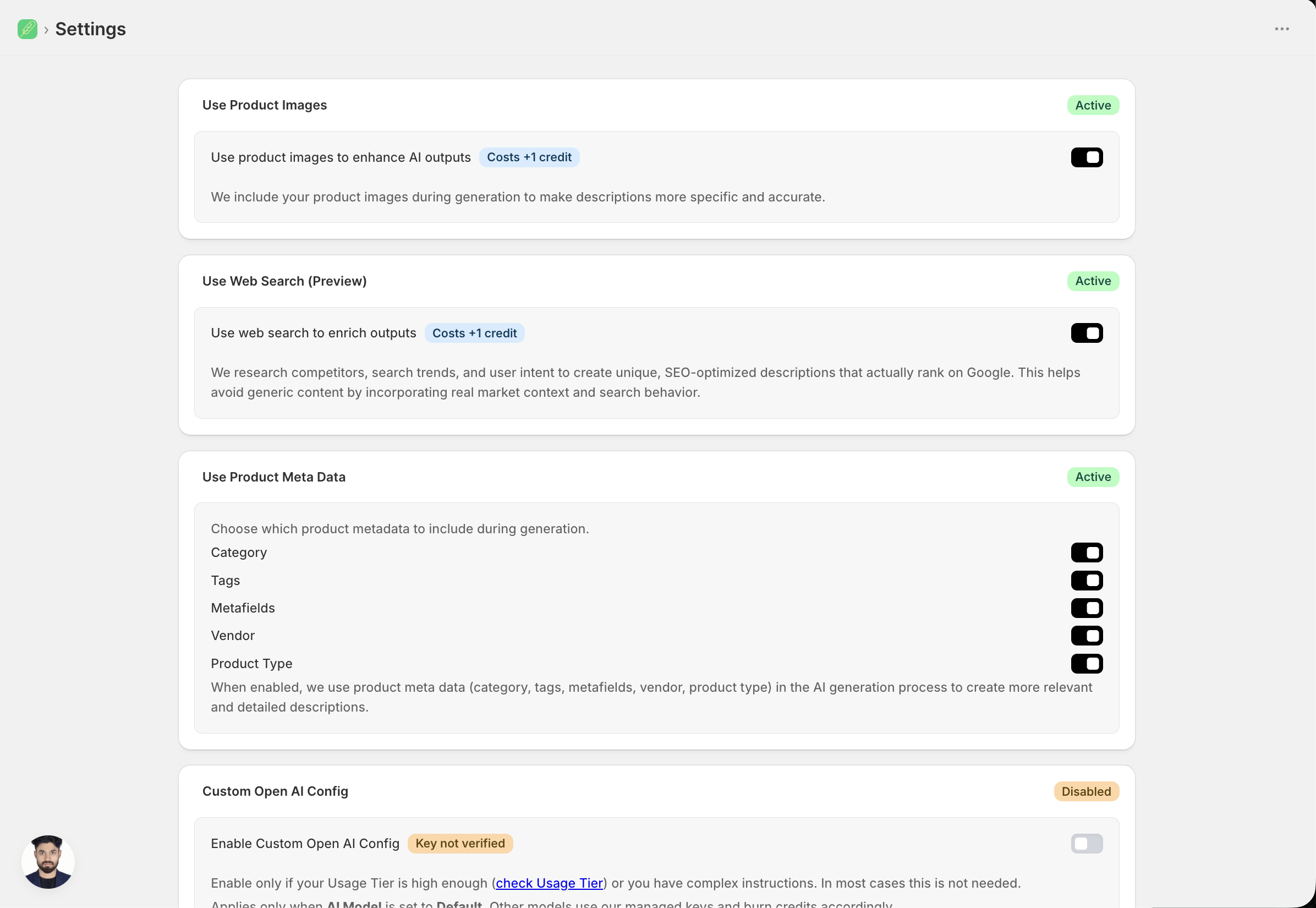
Compare the model settings.
07 / People behind the product
Get help with your store’s setup.
From your first generation to a catalog-wide workflow, reach the team through in-app chat or book a free 30-minute setup call from Help. Founder Abhinav Panse brings Shopify experience going back to 2018.
Meet the team helping merchants →Your next collection is waiting
Give every product
the words it deserves.
Free to start. Works inside Shopify.
Or explore a few examples first →